Keys
MIDI keyboard or digital piano?
One of these is an instrument and one is an input device, and the cheaper price tag belongs to the one that cannot make a sound.
By Sawyer V. · Published · Last updated
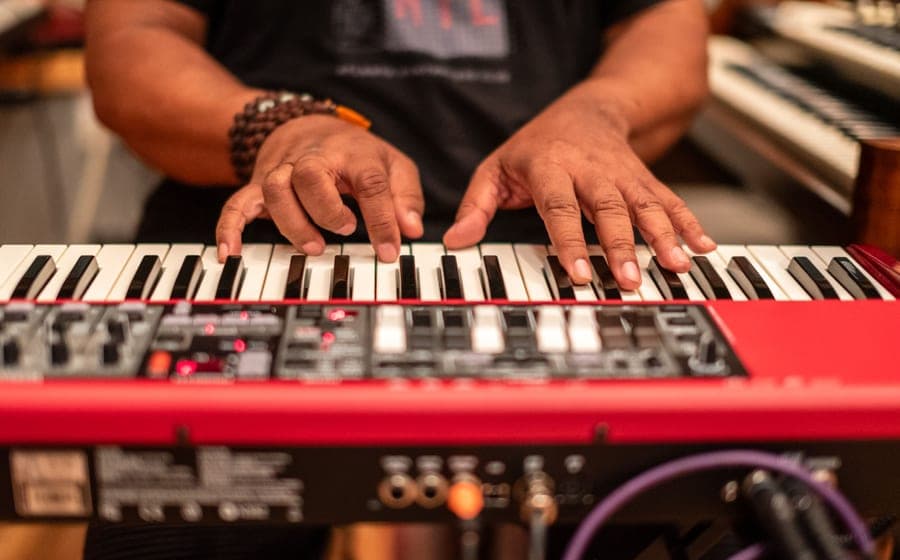
Search for a cheap keyboard and half the results are MIDI controllers. They look like keyboards, they have keys like keyboards, and they cost noticeably less than keyboards. They are also a completely different product, and beginners buy them by accident with some regularity.
A MIDI keyboard is a controller: it sends note data to a computer and makes no sound itself. A digital piano is a complete instrument with sounds and speakers built in. For learning piano, buy the standalone instrument. Buy a controller only if the goal is producing music on a computer.
What each one actually is
A MIDI keyboard is a set of switches under keys plus a USB port. Press a key and it transmits a message: this note, this hard, now. Something else has to turn that message into audio.
That something else is a computer, tablet or phone running instrument software, and then headphones or speakers attached to that device.
A digital piano or keyboard contains recorded piano samples, the processing to play them back, an amplifier and speakers. Plug it in, press a key, hear a piano. The Yamaha P-145#ad and the Casio Casiotone CT-S1#ad are both complete instruments in this sense.
The comparison
| MIDI controller | Digital piano / keyboard | |
|---|---|---|
| Makes sound alone | No | Yes |
| Needs a computer | Always | Never |
| Time from decision to first note | A minute or two of booting | Seconds |
| Key action at beginner prices | Usually unweighted, sometimes mini keys | Full-size; weighted available |
| Sounds available | Anything the software offers | What is built in |
| Recording and production | Excellent — it is the point | Limited without extra gear |
| Complete cost | Controller plus device plus software plus audio | One purchase |
Setup friction is the real argument
The specification differences matter less than a behavioral one.
The strongest predictor of whether a beginner practices is how many seconds pass between deciding to play and actually playing. A standalone instrument on a stand is a three-second start. A controller requires opening a laptop, waiting, launching software, loading an instrument, and checking the audio output is where you left it.
Two minutes does not sound like a barrier. Over a year of ten-minute practice windows it absolutely is, and it is the same principle we argue in setting up a practice space.
The key action problem
At beginner prices, the great majority of MIDI controllers use light synth-action keys, and a significant number use reduced-width mini keys.
Neither is what a piano student needs. Piano technique is built on controlling how hard a key is struck against resistance, and mini keys teach a hand span that has to be unlearned on every real piano. Weighted MIDI controllers exist and cost more than a comparable standalone digital piano, which removes the price advantage entirely.
The Alesis Recital#ad illustrates the alternative: 88 full-size semi-weighted keys as a complete instrument, at a price where an equivalent weighted controller plus a laptop is not close. What weighting actually does is in weighted versus unweighted keys.
The hidden costs
A controller by itself is genuinely inexpensive. The system around it is not free.
A device capable of running it. Most people have one. If the plan was to use a shared family laptop, practice now competes with homework for hardware.
Software. Free options exist and are good. Getting them installed and configured is a project a non-technical parent may not enjoy.
Audio output. Laptop speakers are poor and, more importantly, introduce latency — a delay between pressing a key and hearing the note. Even a small delay actively interferes with learning rhythm, and fixing it properly means an audio interface.
Latency is the one that catches people out. It is not a defect you can practice around; it teaches the hands to anticipate the sound, which is a habit that transfers badly to a real instrument.
When a controller is the right answer
You are making music on a computer. If the goal is producing tracks, programming drums and arranging, a controller is the correct tool and a digital piano is the awkward one.
You already own a good instrument. A compact controller next to a laptop, alongside a real piano elsewhere in the house, is a sensible second keyboard.
Space is extremely tight. A slim 25-key controller fits where nothing else does. It is not a piano, and sometimes the honest choice is the thing that fits.
You are comfortable with the software side. If configuring an audio interface sounds like an evening rather than an obstacle, the flexibility is real.
The middle option nobody mentions
Most modern digital pianos and keyboards are also MIDI controllers. They have a USB port, and connecting one to a computer gives you exactly the same note data a dedicated controller sends.
So the standalone instrument is a superset: it works alone as a piano, and it works as a controller when you want that. That is the answer for the substantial group of people who think they might want to produce music later and definitely want to learn piano now.
Which standalone instrument to buy is in best beginner digital pianos, and the keyboard-versus-digital-piano fork — a different question again — is in keyboard versus digital piano.
If you have read this and concluded a controller is what you want, the two that dominate this price are ranked in best MIDI keyboards for beginners, and the rest of a home setup — monitoring, latency, what to skip — is in best keyboards for bedroom producers.
What we would buy
Yamaha P-145
YamahaBest for: Buy once, 88 weighted keys
88 graded hammer keys, a concert grand sample and 24 pounds. If the plan is piano lessons rather than keyboard playing, this is where the shopping actually starts.
Published specifications
- Keys:
- 88, GHC (Graded Hammer Compact), fully weighted and graded
- Polyphony:
- 64 notes
- Sound:
- Yamaha CFIIIS concert grand sample, damper resonance DSP
- Speakers:
- 7 W built-in
- Dimensions:
- 1,326 x 268 x 129 mm (52-3/16" x 10-9/16" x 5-1/16")
- Weight:
- 11.1 kg (24 lb 8 oz)
- In the box:
- Music rest, sustain foot switch
What it gets right
- Graded hammer action — the low keys are heavier than the high ones, which is the thing an unweighted keyboard cannot teach
- All 88 keys, so no method book ever runs off the end of the instrument
- Genuinely portable at 24 pounds and 268 mm deep; it fits on a desk
Where it gives ground
- 64-note polyphony is the entry-tier number; heavy sustain-pedal passages will drop notes eventually
- A single sustain footswitch, not a proper piano-style pedal — most players replace it
What it is not good at
Anything other than piano. There are only a handful of voices and no arranger features, so if the player wants to make beats or layer sounds, a PSR-E383 will make them happier for less money.
How the specs score against a beginner’s needs
Scores are our reading of the published specifications above against what a beginner physically needs. They are not test results — we have not played this instrument.
Specifications from Yamaha USA — P-145 specifications.
Casio Casiotone CT-S1
CasioBest for: 61 keys, piano sound first
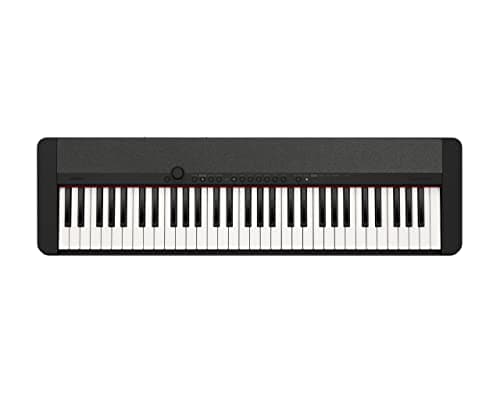
61 full-size touch-sensitive keys, 61 tones and no arranger clutter. It is the 61-key board for someone who wants to play piano rather than operate a keyboard.
Published specifications
- Keys:
- 61, full-size, touch-sensitive
- Polyphony:
- 64 notes
- Tones:
- 61, including a stereo grand piano
- Weight:
- 9.9 lb
- Dimensions:
- 36.61" W x 10.15" D x 3.30" H
- Connectivity:
- USB-MIDI
What it gets right
- Deliberately few sounds and a clean panel, which removes the single biggest distraction from actual practice
- 9.9 pounds and 3.3 inches tall — it can live on a shelf between sessions, and an instrument that lives out of the way gets played less
- 64-note polyphony, higher than the PSR-E383's 48
Where it gives ground
- No lesson mode at all, unlike the PSR-E383
- Unweighted keys, same fundamental limit as any 61-key board
What it is not good at
Entertaining a young child. There is no light-up key guidance, no play-along scoring and only 61 sounds. That restraint is the point for an adult beginner and a drawback for a seven-year-old.
How the specs score against a beginner’s needs
Scores are our reading of the published specifications above against what a beginner physically needs. They are not test results — we have not played this instrument.
Specifications from Casio — CT-S1 product page.
Alesis Recital
AlesisBest for: 88 keys on a tight budget
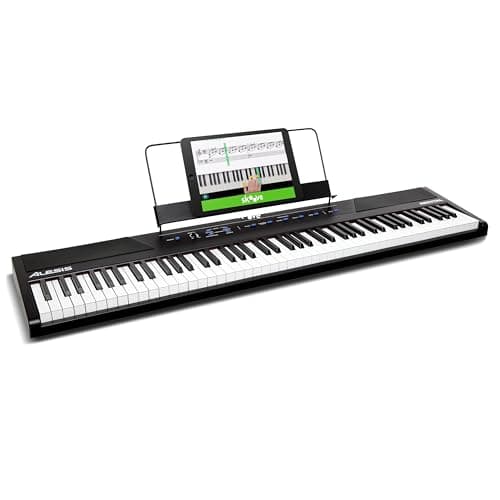
88 full-size semi-weighted keys and 128-note polyphony for meaningfully less than a hammer-action piano. Semi-weighted is a real compromise and the page should say so, so: it is a real compromise.
Published specifications
- Keys:
- 88, full-size, semi-weighted
- Touch response:
- Adjustable — low / medium / high
- Polyphony:
- 128 notes
- Voices:
- 5, layerable and splittable
- Speakers:
- 2 x 20 W
- Weight:
- 15.7 lb
- Extras:
- Lesson mode, metronome, reverb, chorus
What it gets right
- All 88 keys at a price where most instruments give you 61 — the method book never runs out of instrument
- 128-note polyphony, double the Yamaha P-145's 64
- 15.7 pounds, lighter than the P-145's 24 and a genuine consideration if it moves between rooms
Where it gives ground
- Semi-weighted is not hammer action and not graded — the resistance is springs, not weights
- Five voices total, and the piano sample is clearly the entry tier
What it is not good at
Building acoustic-piano technique. Semi-weighted keys let a beginner play faster than their hands have earned, and the habit shows the first time they sit at a real piano. If lessons on an acoustic are coming, spend up to the hammer action.
How the specs score against a beginner’s needs
Scores are our reading of the published specifications above against what a beginner physically needs. They are not test results — we have not played this instrument.
Specifications from Alesis — Recital product page.
Questions people actually ask
Can you learn piano on a MIDI keyboard?
You can, and you will be learning on a computer rather than on an instrument. Every practice session starts with booting a laptop and opening software, and most MIDI controllers at beginner prices have unweighted, often small, keys.
Does a MIDI keyboard make sound?
No. It sends note data over USB and nothing else. Sound requires a computer, tablet or phone running software, plus speakers or headphones connected to that device.
Is a MIDI keyboard cheaper than a digital piano?
The controller is, and the system usually is not. Once you add the device, the software and the audio output, a 61-key standalone keyboard is frequently the cheaper complete solution.
When is a MIDI controller the right choice?
When you are producing music on a computer, when you already own a laptop or tablet you work on, or when you need a compact controller alongside an instrument you already have. It is a studio tool that happens to have keys.
Sources
Still deciding?
Every recommendation on this site is built the same way, and the method is published in full — including what we do not do and what would get a pick dropped.
Read next
- Keyboard vs digital piano
What each instrument is built for, what each costs to complete, and the question that decides between them.
- Best beginner digital pianos: 88 keys, honestly compared
Hammer action versus semi-weighted at the entry price, with the polyphony and weight trade-offs both stated.
- Weighted vs unweighted keys
Hammer, semi-weighted and synth action explained by effect on the hands, with the one question that settles the choice.
- What you actually need to start piano
The complete accessory list in priority order, with what each one is for and which ones can genuinely wait.
- Keyboard specs, and which ones matter
What polyphony really limits, why 700 voices is not a feature, and the four specs that genuinely decide whether a keyboard is good.