Keys
Best MIDI keyboards for beginners
Two controllers dominate this price, they are aimed at different people, and neither of them is a piano.
By Sawyer V. · Published · Last updated
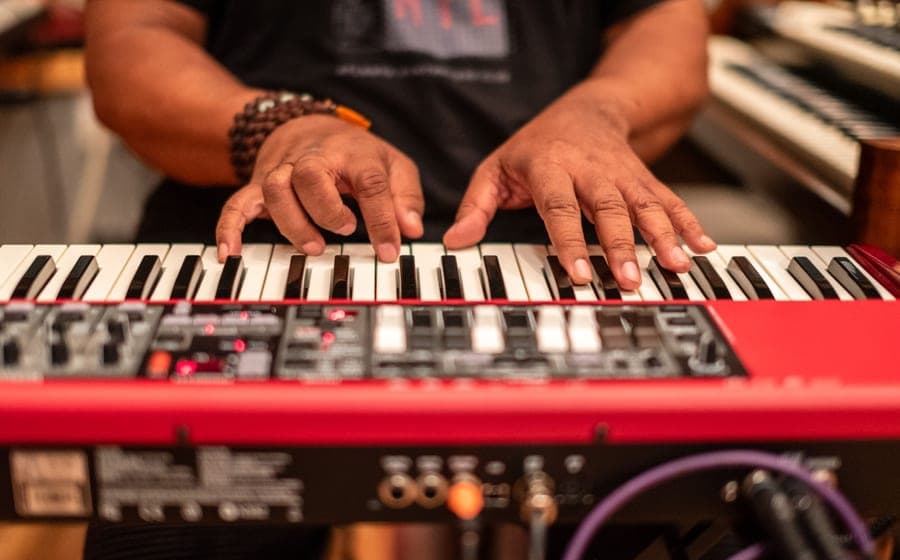
Search for a cheap keyboard and half the results are MIDI controllers. They have keys, they cost less than keyboards, and they are a completely different product: a controller sends note data to a computer and produces no sound whatsoever on its own.
If that is what you want, two controllers dominate this price and they are built for different people. If it is not what you want, this is the wrong page and the last section says where to go instead.
Both picks state their Starter Path band, and we have not physically tested either — the method is on how we pick.
Buy the Arturia if you play melodies and chords and want DAW control — it has aftertouch and the better software bundle. Buy the Akai if you make beats — its pads are clearly better. Buy neither if you are trying to learn piano.
The check to run first
Answer one question honestly: when you imagine using this, is a computer switched on?
If yes — you are producing, recording or arranging — a controller is the right tool and a digital piano would be the awkward one.
If no — you picture sitting down and playing — a controller will disappoint you in a specific way. Every session begins with booting a laptop, launching software and loading an instrument. Two minutes of friction, every time, is enough to stop a beginner practicing at all. That argument in full is in MIDI keyboard versus digital piano.
What separates these two
Both are 25 slim velocity-sensitive keys with eight RGB pads, at almost the same price. The differences are narrow and they decide which one suits you.
| Arturia MiniLab 3 | Akai MPK Mini MK3 | |
|---|---|---|
| Aftertouch | Yes | No |
| Pads | Good | Better — the reason to choose it |
| Extra controls | Encoders and faders, pre-mapped | Knobs, plus note repeat |
| Bundle | Analog Lab Intro, Ableton Live Lite, UVI Model D | Akai’s own software package |
| Best for | Melodies, chords, DAW control | Drums, sampling, finger drumming |
The picks
The Arturia MiniLab 3#ad is the better first controller for someone who thinks of themselves as a musician. Aftertouch means pressing harder after a key is down changes the sound, which is real expressive control the Akai does not offer. The encoders and faders arrive pre-mapped to Arturia’s Analog Lab, so it works immediately rather than needing an evening of configuration.
The bundle is the other reason: an instrument library, a cut-down version of Ableton Live, and a piano instrument. That is a complete starting setup with no additional spend.
Against it: the pads are good rather than great for finger drumming, the bundled Analog Lab Intro is deliberately cut down to sell you the full version, and 25 slim keys are still 25 slim keys.
The Akai MPK Mini MK3#ad is the better choice if your workflow revolves around drums and samples. The pads are the best in this class — responsive, backlit, and pressure-sensitive — and note repeat is genuinely useful for programming hi-hats and rolls without editing them in by hand afterwards.
Against it: no aftertouch on the keys, and its pads need slightly more force than the Arturia’s to trigger, which some players find tiring.
What both give up
They make no sound. Worth repeating because it is the single most common misunderstanding in this category.
Slim keys are not full-size. A hand span learned on narrow keys is wrong on every real piano, and physical habits are far harder to unlearn than to learn. Why we treat full-size keys as non-negotiable elsewhere is in keyboard specs explained.
No weighting. Piano technique is built on controlling how hard a key is struck against resistance. Synth-action keys offer none — see weighted versus unweighted keys.
Two octaves. Enough to sketch a part, not enough to play one with both hands.
What you still need
A device to run it. Most people have one. If the plan was a shared family laptop, practice now competes with homework for hardware.
A way to hear it without latency. The cost people forget. Laptop speakers are poor and, more importantly, introduce a delay between pressing a key and hearing the note. Even a small delay actively teaches the hands to anticipate the sound, which transfers badly to a real instrument. An audio interface or a decent USB audio path fixes it.
Headphones. Covered along with the rest of a home setup in best keyboards for bedroom producers.
The option most people should consider instead
Most modern digital pianos and keyboards have a USB port and function as MIDI controllers themselves. That makes a standalone instrument a superset: it works alone as a keyboard, and it works as a controller when a computer is switched on.
For the substantial group of people who think they might produce music later and definitely want to play now, that is the better purchase. The picks are in best beginner keyboards.
Quick picks
If you play parts and melodies
Aftertouch on the keys, pre-mapped encoders and faders, and a software bundle that includes an instrument library, a DAW and a piano.
| # | Product | Best for | Score | Price |
|---|---|---|---|---|
| 1 | No image Arturia MiniLab 3The same 25-key footprint aimed at people who play melodies rather than program drums. | Playing parts and DAW controlThe honest floor | 8.4 | Check price on Amazon → #ad How we’re funded |
If you make beats
The best pads in this class by a clear margin, plus note repeat. An MPC workflow shrunk onto a desk.
| # | Product | Best for | Score | Price |
|---|---|---|---|---|
| 1 | No image Akai MPK Mini MK325 slim keys and eight genuinely good backlit pads. | Beat-making and finger drummingThe honest floor | 8.2 | Check price on Amazon → #ad How we’re funded |
The picks in full
Arturia MiniLab 3
ArturiaBest for: Playing parts and DAW control
The same 25-key footprint aimed at people who play melodies rather than program drums. Aftertouch on the keys and a bundled software instrument library make it the better first controller for a musician.
Published specifications
- Keys:
- 25 slim, velocity-sensitive, with aftertouch
- Pads:
- 8 RGB
- Controls:
- Endless encoders and faders, pre-mapped to Analog Lab
- Connection:
- USB — requires a computer, tablet or phone
- Bundle:
- Analog Lab Intro, Ableton Live Lite, UVI Model D
What it gets right
- Aftertouch on the keys, which the Akai does not have — real expressive control for a beginner
- Encoders and faders arrive pre-mapped, so it works out of the box instead of needing setup
- Bundled software is a genuine value: an instrument library, a DAW and a piano
- Tight integration with Ableton, Logic and FL Studio
Where it gives ground
- Makes NO sound by itself — the bundled software and a computer are the instrument
- Pads are good and are not as good as the Akai's for finger drumming
- 25 slim keys, so the same 'wrong hand span for piano' problem as the Akai
- The bundled Analog Lab Intro is a cut-down version designed to sell you the full one
What it is not good at
Being a piano. Slim 25 keys is two octaves of narrow plastic — excellent for sketching parts, useless for learning repertoire that needs both hands and a full keyboard.
How the specs score against a beginner’s needs
Scores are our reading of the published specifications above against what a beginner physically needs. They are not test results — we have not played this instrument.
Specifications from Melodics — Arturia MiniLab 3 vs Akai MPK Mini MK3, B&H — Arturia MiniLab 3 vs Akai MPK Mini MK3 published spec comparison.
Akai MPK Mini MK3
Akai ProfessionalBest for: Beat-making and finger drumming
25 slim keys and eight genuinely good backlit pads. The pads are the reason to buy it — this is an MPC workflow shrunk onto a desk, and it makes no sound on its own.
Published specifications
- Keys:
- 25 slim, velocity-sensitive
- Pads:
- 8 RGB backlit, pressure-sensitive
- Connection:
- USB — requires a computer, tablet or phone
- Sound engine:
- None — controller only
- Notable:
- Note repeat, MPC-style workflow
What it gets right
- The best pads in this class — responsive, backlit, and the reason most people choose this over the Arturia
- Note repeat is genuinely useful for programming hi-hats and rolls
- Compact enough to sit in front of a laptop permanently
- Sprung keybed that feels comparable to the Arturia despite the price
Where it gives ground
- Makes NO sound by itself — a computer and software are mandatory, which beginners buying a 'keyboard' routinely miss
- 25 slim keys are not full-size and teach a hand span that is wrong on a real piano
- No aftertouch on the keys, unlike the Arturia
- Pads need slightly more force than the Arturia's to trigger
What it is not good at
Learning piano. This is a studio input device with keys attached. A student who needs to build piano technique needs full-size weighted keys and an instrument that makes a sound when a computer is not running.
How the specs score against a beginner’s needs
Scores are our reading of the published specifications above against what a beginner physically needs. They are not test results — we have not played this instrument.
Specifications from B&H — Arturia MiniLab 3 vs Akai MPK Mini MK3 published spec comparison, Melodics — Arturia MiniLab 3 vs Akai MPK Mini MK3.
Questions people actually ask
Does a MIDI keyboard make sound?
No. It sends note data over USB and nothing else. Sound requires a computer, tablet or phone running software, plus headphones or speakers connected to that device. This catches out a large number of first-time buyers.
Can you learn piano on a MIDI keyboard?
Poorly. Controllers at this price use 25 slim keys with no weighting, which teaches a hand span and a touch that are both wrong on a real piano. Buy a standalone instrument if learning piano is the goal.
How many keys does a beginner MIDI controller need?
25 is enough for sketching parts and programming, which is what these are for. If you want to play with two hands at once you want 49 or more, and at that point a standalone keyboard with USB is often the better buy.
Do I need to buy software as well?
Both of these ship with a usable bundle, so you can start without extra spend. Free options exist too. The cost people forget is a way to hear it properly — laptop speakers introduce latency and sound poor.
Sources
Still deciding?
Every recommendation on this site is built the same way, and the method is published in full — including what we do not do and what would get a pick dropped.
Read next
- MIDI keyboard or digital piano?
What a controller does and does not include, the hidden costs, and why a beginner learning piano almost always wants the standalone instrument.
- Best keyboards for bedroom producers
Controller versus standalone-with-USB, the latency problem nobody budgets for, and three boards covering both approaches.
- Keyboard specs, and which ones matter
What polyphony really limits, why 700 voices is not a feature, and the four specs that genuinely decide whether a keyboard is good.
- Best beginner keyboards: 61 keys that suit real lessons
Touch response over tone count, segmented for children and adult learners, with the 61-key ceiling stated plainly.
- Weighted vs unweighted keys
Hammer, semi-weighted and synth action explained by effect on the hands, with the one question that settles the choice.