Keys
How to look after a digital piano
There is nothing to tune and nothing to humidify. What there is: dust in the key mechanism, a power supply that gets lost, and a sticky key nobody can fix cheaply.
By Sawyer V. · Published · Last updated
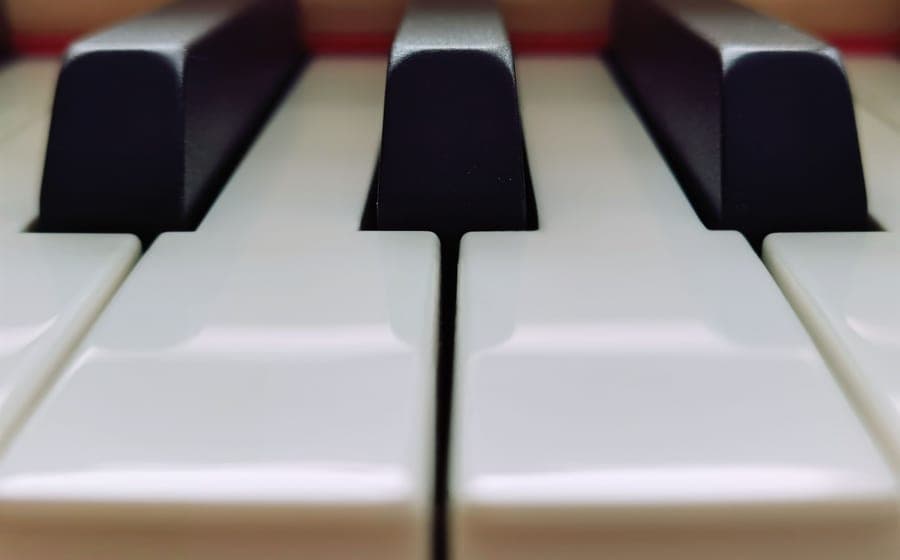
This is the shortest maintenance page on the site, and that is the point. A digital piano is the lowest-maintenance instrument we cover: nothing to tune, no consumable strings, no humidity range to police, no annual service.
What it does have is three specific ways of going wrong, all of which are preventable.
Keep it covered when not in use, keep drinks away from it, wipe the keys with a dry microfiber cloth, and do not leave it in direct sun or a damp room. That is the whole routine. The three real failure modes are dust in the key mechanism, spills, and a lost or wrong power supply.
Failure mode one: dust in the key mechanism
Under each key is a rubber contact strip that closes a circuit when pressed. Fine dust and grit work down between the keys over years and settle on those contacts.
The symptom is a key that plays intermittently, or plays at the wrong volume regardless of how you strike it, while its neighbors behave normally. On a weighted board it can also become physically noisier than the keys around it.
Prevention is a dust cover, which is genuinely worth owning if the instrument lives out in a room permanently. A cover costs very little and this is the failure it prevents. It is the one accessory on this page we would insist on.
Failure mode two: liquid
The most common way a digital piano dies, and it is entirely avoidable.
Anything spilled between the keys runs straight down onto the contact strips and the circuit board. Sugary drinks are worse than water, because the residue keeps causing trouble after the liquid has dried.
If it happens: unplug it immediately, do not switch it on to check, stand it so the liquid drains away from the electronics rather than through them, and leave it for several days. Powering up a wet board is what turns a survivable accident into a dead one.
The rule is simply no drinks on the instrument, and no drinks on the stand. A shelf beside it, not on it.
Failure mode three: the power supply
An underrated one. Digital pianos use external power supplies with specific voltage, current and polarity, and they are easy to lose and easy to substitute wrongly.
A generic supply with the wrong polarity can damage the instrument. One with insufficient current causes intermittent behavior that looks like a fault in the board itself.
Two practical rules: keep the original, and if you replace it, match the manufacturer’s specification exactly rather than approximately. On a board like the Casio Casiotone CT-S1#ad that can also run on batteries, keep the adapter anyway — batteries in a keyboard that lives in one place are an expensive habit.
Cleaning, properly
Keys. A dry or very slightly damp microfiber cloth, wiped along the length of each key from back to front rather than side to side. Side-to-side pushes grime into the gaps, which is where you do not want it.
Never use household cleaners, alcohol or polish. Keytops are plastic, often with a textured finish that alcohol will dull permanently. Some manufacturers use a simulated ivory surface specifically designed to absorb finger moisture; solvents ruin it.
The control panel. Same cloth, and keep moisture away from the seams around buttons and sliders.
Between the keys. Compressed air, in short bursts, held upright and at a distance. Do not aim a sustained blast downward — that drives dust further in rather than out.
Where to put it
Out of direct sunlight. Ultraviolet yellows white plastic keytops unevenly over years, and heat is not good for anything inside.
Not in a damp room. Digital instruments do not care about humidity the way wooden ones do, but condensation on a circuit board is still condensation on a circuit board. Unheated garages and conservatories are poor homes.
On a proper stand. Partly for your wrists, covered in our stand and bench guide, and partly because a board balanced on furniture that is slightly too narrow eventually falls.
Testing a keyboard properly
Whether you are checking a used one before buying or diagnosing your own, the method is the same and takes two minutes.
Play every single key. Not a chord in the middle — all 61 or all 88, one at a time, listening for a note that is missing, quieter, or slower to respond. Digital instruments fail per key, so a sample tells you nothing.
Play each key softly and hard. Confirms touch response is working evenly across the keyboard rather than just working.
Check the pedal socket with a pedal plugged in, and the headphone socket with headphones such as the Audio-Technica ATH-M20x#ad — a crackling headphone jack is a common fault on instruments that have been moved a lot.
Confirm the power supply is the correct original.
That checklist is why we call digital keyboards a safe used buy in used versus new, with the single condition that you actually run it.
What is worth repairing
Honestly, not much at the beginner end. A single dead key on a board like the Yamaha P-145#ad means dismantling the instrument to replace a contact strip, and the labor alone frequently approaches the value of the board.
Which is an argument for prevention rather than for cheap instruments. A dust cover, no drinks nearby, and the original power supply kept in a known place will see a digital piano through a decade of daily use without incident.
What we would buy
Yamaha P-145
YamahaBest for: Buy once, 88 weighted keys
88 graded hammer keys, a concert grand sample and 24 pounds. If the plan is piano lessons rather than keyboard playing, this is where the shopping actually starts.
Published specifications
- Keys:
- 88, GHC (Graded Hammer Compact), fully weighted and graded
- Polyphony:
- 64 notes
- Sound:
- Yamaha CFIIIS concert grand sample, damper resonance DSP
- Speakers:
- 7 W built-in
- Dimensions:
- 1,326 x 268 x 129 mm (52-3/16" x 10-9/16" x 5-1/16")
- Weight:
- 11.1 kg (24 lb 8 oz)
- In the box:
- Music rest, sustain foot switch
What it gets right
- Graded hammer action — the low keys are heavier than the high ones, which is the thing an unweighted keyboard cannot teach
- All 88 keys, so no method book ever runs off the end of the instrument
- Genuinely portable at 24 pounds and 268 mm deep; it fits on a desk
Where it gives ground
- 64-note polyphony is the entry-tier number; heavy sustain-pedal passages will drop notes eventually
- A single sustain footswitch, not a proper piano-style pedal — most players replace it
What it is not good at
Anything other than piano. There are only a handful of voices and no arranger features, so if the player wants to make beats or layer sounds, a PSR-E383 will make them happier for less money.
How the specs score against a beginner’s needs
Scores are our reading of the published specifications above against what a beginner physically needs. They are not test results — we have not played this instrument.
Specifications from Yamaha USA — P-145 specifications.
Casio Casiotone CT-S1
CasioBest for: 61 keys, piano sound first
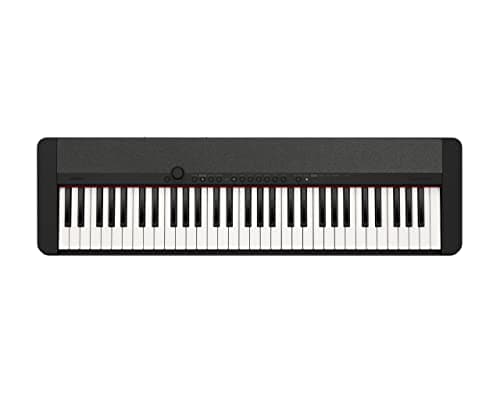
61 full-size touch-sensitive keys, 61 tones and no arranger clutter. It is the 61-key board for someone who wants to play piano rather than operate a keyboard.
Published specifications
- Keys:
- 61, full-size, touch-sensitive
- Polyphony:
- 64 notes
- Tones:
- 61, including a stereo grand piano
- Weight:
- 9.9 lb
- Dimensions:
- 36.61" W x 10.15" D x 3.30" H
- Connectivity:
- USB-MIDI
What it gets right
- Deliberately few sounds and a clean panel, which removes the single biggest distraction from actual practice
- 9.9 pounds and 3.3 inches tall — it can live on a shelf between sessions, and an instrument that lives out of the way gets played less
- 64-note polyphony, higher than the PSR-E383's 48
Where it gives ground
- No lesson mode at all, unlike the PSR-E383
- Unweighted keys, same fundamental limit as any 61-key board
What it is not good at
Entertaining a young child. There is no light-up key guidance, no play-along scoring and only 61 sounds. That restraint is the point for an adult beginner and a drawback for a seven-year-old.
How the specs score against a beginner’s needs
Scores are our reading of the published specifications above against what a beginner physically needs. They are not test results — we have not played this instrument.
Specifications from Casio — CT-S1 product page.
Audio-Technica ATH-M20x
Audio-TechnicaBest for: Practice headphones
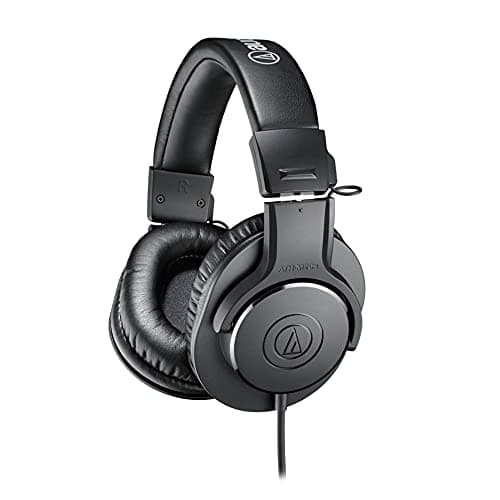
Closed-back 40 mm drivers with a 1/4 inch adapter included, which is the socket most digital pianos actually have. The cheapest headphones we would put on a practicing student.
Published specifications
- Type:
- Closed-back, circumaural (over-ear)
- Drivers:
- 40 mm, copper-clad aluminum voice coils
- Frequency response:
- 15 Hz - 20,000 Hz
- Cable:
- 9.8 ft (3.0 m), single-sided, straight
- Weight:
- 6.7 oz (190 g) without cable
- In the box:
- 6.3 mm (1/4") snap-on adapter
What it gets right
- Closed-back, so the sound stays in and the room stays out — the whole point of practice headphones
- The 1/4 inch adapter is included, and that is the socket most digital pianos have rather than the 1/8 inch a phone uses
- Under 200 grams, which matters over an hour of practice on a child's head
Where it gives ground
- The cable is fixed, not detachable, so a damaged cable means new headphones
- A 3 meter cable is generous at a piano and a trip hazard anywhere else
What it is not good at
Portability. They do not fold flat and there is no case. These live at the instrument.
How the specs score against a beginner’s needs
Scores are our reading of the published specifications above against what a beginner physically needs. They are not test results — we have not played this instrument.
Specifications from Audio-Technica ATH-M20x published specifications.
Questions people actually ask
Do digital pianos need tuning?
No, ever. The pitch is generated electronically and cannot drift. That is one of the genuine advantages over an acoustic piano, which needs tuning roughly twice a year indefinitely.
How do you clean a digital piano?
A dry or barely damp microfiber cloth on the keys, wiped along their length rather than side to side. Nothing wet near the seams, no household cleaners, and no alcohol on plastic keytops.
What causes a sticky key on a digital piano?
Usually something that fell in — crumbs, dust, a drink. Occasionally a worn contact strip underneath. Prevention is a dust cover and no drinks near it; repair means opening the instrument and is rarely worth doing on a budget board.
How long does a digital piano last?
Mechanically, decades. What limits it is electronics and parts availability — once a manufacturer stops supplying a key contact strip or a power board, a fault that would be cheap becomes terminal.
Sources
Still deciding?
Every recommendation on this site is built the same way, and the method is published in full — including what we do not do and what would get a pick dropped.
Read next
- Best beginner digital pianos: 88 keys, honestly compared
Hammer action versus semi-weighted at the entry price, with the polyphony and weight trade-offs both stated.
- Keyboard accessories you actually need
Stand, bench, sustain pedal and headphones, ranked by how much they change your playing, plus the bundle items that get thrown away.
- Should a first instrument be used or new?
Where secondhand is the best value on the site and where it hides expensive faults, plus a check-before-you-pay list per family.
- Digital piano or acoustic piano to start?
Running costs, tuning, volume control and why a neglected acoustic is worse than a good digital, with the case for each stated fairly.
- Keyboard stands and benches
How to set the correct playing height, X-stand versus Z-stand, and why the adjustable bench is the item to buy first.