Keys
Akai MPK Mini MK3 vs Arturia MiniLab 3
Same size, same price, same 25 slim keys. They diverge on what you are meant to do with them, and the software bundle is part of the product.
By Sawyer V. · Published · Last updated
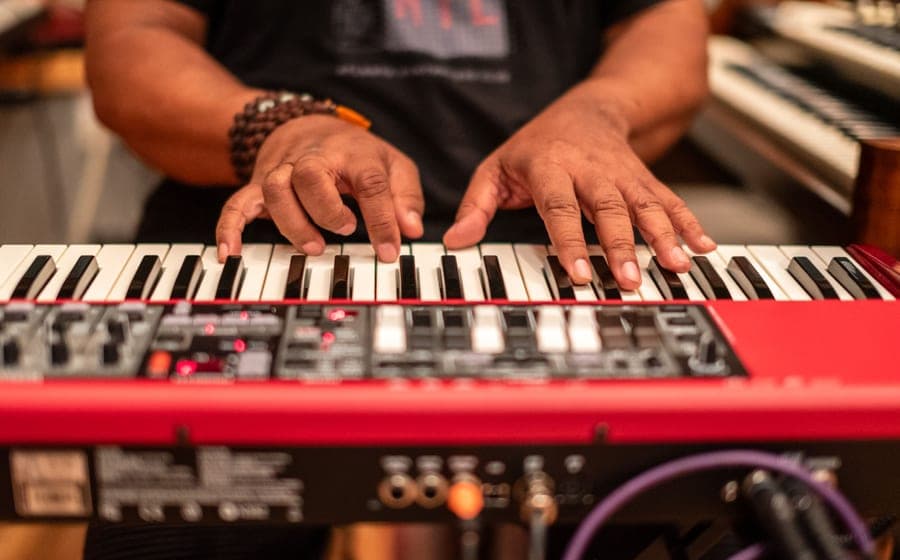
These two are the default answer when somebody wants to start making music on a laptop. They are the same size, cost about the same, and sit on the same desk. The difference is philosophical, and it shows up in what your hands do.
We have not used either. This is our reading of published specifications and named published spec comparisons; the method is on how we pick.
Buy the Akai MPK Mini MK3#ad if you are making beats and the pads are the instrument. Buy the Arturia MiniLab 3#ad if you are playing parts into a DAW and want aftertouch plus knobs that are already mapped. Neither teaches you piano.
The keys
Both have 25 slim, velocity-sensitive keys. The Arturia adds aftertouch, which means pressing harder after a note has sounded can modulate it — useful for expressive synth lines and completely irrelevant for drum programming.
Twenty-five keys is two octaves. That is enough to play a bass line, a chord part or a lead, one hand at a time, and not enough to play piano with both hands. If that sounds limiting, it is, and the fix is a bigger controller rather than a different small one — see 49 vs 61 keys.
The pads
Eight on both, RGB backlit on both. The Akai’s are pressure-sensitive and come with note repeat, which is the feature that makes rolls and hi-hat patterns playable by hand. That heritage is the reason the MPK Mini is the standard recommendation for beat-making.
The controls and the software
The Arturia ships with endless encoders and faders pre-mapped to Analog Lab, so the hardware is immediately useful without configuration. The bundle is substantial: Analog Lab Intro, Ableton Live Lite and UVI Model D.
The Akai’s workflow points toward the MPC ecosystem instead. Which bundle is more valuable depends entirely on what you already use, and bundles change — check the current contents rather than trusting any roundup, including this one.
Who should buy which
Akai MPK Mini MK3: hip-hop, electronic production, sample-based music, and anyone whose main instrument is the pad grid rather than the keyboard.
Arturia MiniLab 3: songwriting, synth parts, film-style work, and anyone who wants to turn a knob and hear something change without opening a mapping menu.
Neither: if the actual goal is learning to play piano. That is a different purchase entirely, and the honest version is in best beginner digital pianos. The full controller field is in best MIDI keyboards for beginners.
What we would buy
Akai MPK Mini MK3
Akai ProfessionalBest for: Beat-making and finger drumming
25 slim keys and eight genuinely good backlit pads. The pads are the reason to buy it — this is an MPC workflow shrunk onto a desk, and it makes no sound on its own.
Published specifications
- Keys:
- 25 slim, velocity-sensitive
- Pads:
- 8 RGB backlit, pressure-sensitive
- Connection:
- USB — requires a computer, tablet or phone
- Sound engine:
- None — controller only
- Notable:
- Note repeat, MPC-style workflow
What it gets right
- The best pads in this class — responsive, backlit, and the reason most people choose this over the Arturia
- Note repeat is genuinely useful for programming hi-hats and rolls
- Compact enough to sit in front of a laptop permanently
- Sprung keybed that feels comparable to the Arturia despite the price
Where it gives ground
- Makes NO sound by itself — a computer and software are mandatory, which beginners buying a 'keyboard' routinely miss
- 25 slim keys are not full-size and teach a hand span that is wrong on a real piano
- No aftertouch on the keys, unlike the Arturia
- Pads need slightly more force than the Arturia's to trigger
What it is not good at
Learning piano. This is a studio input device with keys attached. A student who needs to build piano technique needs full-size weighted keys and an instrument that makes a sound when a computer is not running.
How the specs score against a beginner’s needs
Scores are our reading of the published specifications above against what a beginner physically needs. They are not test results — we have not played this instrument.
Specifications from B&H — Arturia MiniLab 3 vs Akai MPK Mini MK3 published spec comparison, Melodics — Arturia MiniLab 3 vs Akai MPK Mini MK3.
Arturia MiniLab 3
ArturiaBest for: Playing parts and DAW control
The same 25-key footprint aimed at people who play melodies rather than program drums. Aftertouch on the keys and a bundled software instrument library make it the better first controller for a musician.
Published specifications
- Keys:
- 25 slim, velocity-sensitive, with aftertouch
- Pads:
- 8 RGB
- Controls:
- Endless encoders and faders, pre-mapped to Analog Lab
- Connection:
- USB — requires a computer, tablet or phone
- Bundle:
- Analog Lab Intro, Ableton Live Lite, UVI Model D
What it gets right
- Aftertouch on the keys, which the Akai does not have — real expressive control for a beginner
- Encoders and faders arrive pre-mapped, so it works out of the box instead of needing setup
- Bundled software is a genuine value: an instrument library, a DAW and a piano
- Tight integration with Ableton, Logic and FL Studio
Where it gives ground
- Makes NO sound by itself — the bundled software and a computer are the instrument
- Pads are good and are not as good as the Akai's for finger drumming
- 25 slim keys, so the same 'wrong hand span for piano' problem as the Akai
- The bundled Analog Lab Intro is a cut-down version designed to sell you the full one
What it is not good at
Being a piano. Slim 25 keys is two octaves of narrow plastic — excellent for sketching parts, useless for learning repertoire that needs both hands and a full keyboard.
How the specs score against a beginner’s needs
Scores are our reading of the published specifications above against what a beginner physically needs. They are not test results — we have not played this instrument.
Specifications from Melodics — Arturia MiniLab 3 vs Akai MPK Mini MK3, B&H — Arturia MiniLab 3 vs Akai MPK Mini MK3 published spec comparison.
Questions people actually ask
Can either of these be used to learn piano?
Not really. Both are 25-key controllers with slim, unweighted keys and no sounds of their own. They are for making music on a computer. Learning piano needs weighted keys and enough of them — see MIDI keyboard vs digital piano.
Do they make any sound on their own?
No. Both are controllers: they send note and control data over USB and need a computer, tablet or phone running software to produce sound. That is the defining limitation of the category.
Which is better for making beats?
The Akai. Its eight pressure-sensitive RGB pads and note-repeat function come from the MPC lineage, and finger drumming is what that workflow was built for.
Which is better for playing parts?
The Arturia. Its keys have aftertouch, which the Akai’s do not, and its encoders and faders come pre-mapped to Analog Lab so the knobs actually do something the moment you plug in.
Does the bundled software matter?
At this price it is a real part of the value. Arturia bundles Analog Lab Intro, Ableton Live Lite and UVI Model D; Akai’s bundle centers on its MPC ecosystem. Check what each currently includes before buying, since bundles change.
Still deciding?
Every recommendation on this site is built the same way, and the method is published in full — including what we do not do and what would get a pick dropped.
Read next
- Best MIDI keyboards for beginners
Pads versus keys, what each bundle actually includes, and the one check to run before buying a controller instead of an instrument.
- MIDI keyboard or digital piano?
What a controller does and does not include, the hidden costs, and why a beginner learning piano almost always wants the standalone instrument.
- Best keyboards for bedroom producers
Controller versus standalone-with-USB, the latency problem nobody budgets for, and three boards covering both approaches.
- 49 vs 61 keys
What a 49-key board runs out of and when, the two cases where 49 keys is genuinely the right buy, and why 61 is the floor for learning piano.
- Best keyboards for teenagers
Why headphones and music taste decide this purchase, what to check before buying, and four keyboards for four kinds of teenager.